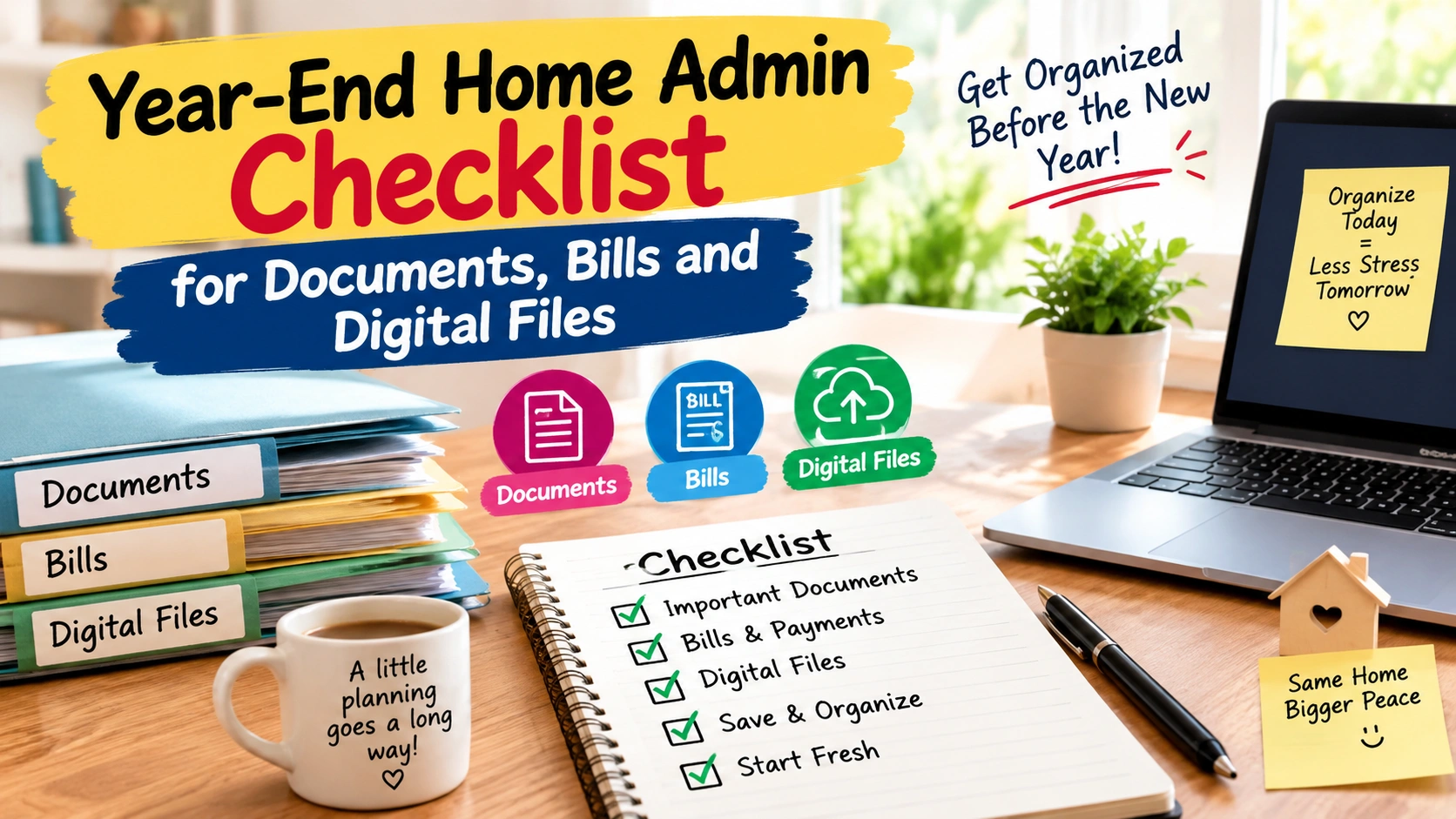
- Why a Year-End Home Admin Checklist Is Useful
- 1. Collect All Important Documents
- 2. Check Your Bills and Payments
- 3. Review Subscriptions You No Longer Use
- 4. Organize Your Receipts and Warranties
- 5. Clean Up Your Computer Files
- 6. Rename Important Digital Files
- 7. Check Your Phone Photos and Downloads
- 8. Back Up Important Digital Files
- 9. Review Your Important Contact Information
- 10. Check Important Account Security
- 11. Create a Simple Household Information Folder
- 12. Make a List of Renewal Dates
- 13. Check Your Tax and Financial Papers
- 14. Make a "To Do in January" List
- 15. Use a Simple Year-End Home Admin Table
- A Simple Way to Finish the Checklist Without Feeling Overwhelmed
- Day 1: Papers
- Day 2: Financial Admin
- Day 3: Digital Files
- Day 4: Phone
- Day 5: Backup
- Day 6: Contacts and Renewals
- Day 7: Final Check
- What Not to Do During Year-End Home Admin
- Make Your System Easy for the Whole Family
- My Simple Rule for Home Administration
- FAQ About Year-End Home Admin Checklist
- 1. What should be included in a year end home admin checklist?
- 2. How often should I organize household documents?
- 3. Should I keep old bills?
- 4. How should I organize digital household files?
- 5. What should I do with old subscriptions?
- 6. Should important documents be scanned?
- 7. How can I make year-end home admin easier next year?
- Conclusion
The end of the year is a good time to look around the house and notice all the little things we usually ignore. I am not talking about cleaning cupboards or washing curtains. I am talking about the paperwork, bills, documents, receipts, passwords and digital files that quietly collect during the year.
I have learned that these small jobs can become a big headache when we leave them for too long. One old bill becomes a pile. One downloaded document becomes hundreds of files on the computer. A few receipts get mixed together. Then suddenly we need one important paper and cannot remember where we kept it.
This is why I like doing a year end home admin checklist before the new year begins.
It does not have to be a huge weekend project. You can do it slowly, one small section at a time. Even 20 or 30 minutes a day can make a big difference.
As I always say, “A little organization today can save a lot of searching tomorrow.”
The goal is not to make your home look perfect. The goal is to make your household information easy to find, safe and up to date.
Why a Year-End Home Admin Checklist Is Useful
During the year, we are busy with work, school, family, shopping, appointments and everyday home tasks. Administrative work usually comes last.
We may say:
“I will sort these bills next weekend.”
Then next weekend becomes next month.
By December, there can be a mixture of papers, emails, receipts and digital files everywhere.
A year end home admin checklist gives you a simple way to stop and check everything before starting another year.
It can help you:
- Find important documents quickly
- Remove old paperwork you no longer need
- Check unpaid or upcoming bills
- Organize receipts
- Review subscriptions
- Clean your computer and phone files
- Update important contact details
- Check household accounts
- Keep digital copies of important documents
- Prepare a simple system for the coming year
Most importantly, it can give you peace of mind.
1. Collect All Important Documents
Start with physical documents.
Look around your home for important papers. Check drawers, cupboards, files, bags and even old envelopes.
You may find documents such as:
- Identity documents
- Property papers
- Rental agreements
- Insurance documents
- Bank statements
- Investment papers
- School documents
- Medical records
- Warranty papers
- Vehicle documents
- Tax-related papers
- Important certificates
- Bills and receipts
Do not throw away important documents just because they look old.
First, decide what the document is and whether you still need it. Some records need to be kept for several years or permanently.
Make separate folders for different categories.
For example:
Home
Banking
Insurance
Tax
Education
Vehicle
Personal Documents
This makes finding something much easier.
A simple label on a folder can save ten minutes of searching later.
2. Check Your Bills and Payments
Bills are another important part of the year end home admin checklist.
Go through your regular household payments and check whether everything is up to date.
Look at:
- Electricity bills
- Water bills
- Internet bills
- Mobile bills
- Gas bills
- Insurance payments
- School or tuition fees
- Loan payments
- Rent or maintenance payments
- Other regular household expenses
You do not need to study every bill in detail.
Simply check whether there are unpaid amounts, late fees, changed prices or services that you no longer use.
Also check automatic payments.
Sometimes we continue paying for a service simply because we forgot about it.
3. Review Subscriptions You No Longer Use
This is one of my favorite year-end tasks because it can save money.
Look at your monthly and yearly subscriptions.
These may include:
- Streaming services
- Music services
- Cloud storage
- Apps
- Gaming subscriptions
- News websites
- Online memberships
- Software subscriptions
- Fitness memberships
Ask yourself one simple question:
“Did I actually use this during the year?”
If the answer is no, check the cancellation terms and consider ending it.
Be careful not to cancel something important by mistake. Check exactly what the subscription provides before making changes.
4. Organize Your Receipts and Warranties
Receipts are easy to lose.
At the end of the year, collect receipts that may still be useful.
Keep receipts for expensive items, appliances, electronics, furniture and other products where you may need proof of purchase.
Also collect warranty information.
Create a folder called Warranties and Purchases.
Inside it, you can keep:
- Product name
- Purchase date
- Receipt
- Warranty details
- Serial number
- Service information
For expensive products, you can also keep a digital copy.
This is especially useful when the original receipt becomes difficult to find.
5. Clean Up Your Computer Files
Now comes the digital side of the year end home admin checklist.
Many of us organize our homes but completely ignore our computers.
Open your main folders and look at what you have collected throughout the year.
You may find:
- Old downloads
- Duplicate photos
- Old PDFs
- Receipts
- Screenshots
- Temporary files
- School documents
- Work files
- Random images
- Old installers
- Unused documents
Do not delete everything quickly.
First, sort your files.
You can create folders such as:
2026 Documents
2026 Bills
2026 Receipts
Photos
School
Work
Personal
Then move files into the correct folder.
This simple system can make your computer much easier to use.
6. Rename Important Digital Files
A file called “document123.pdf” is not very helpful six months later.
Try using simple names that tell you what the file contains.
For example:
Electricity_Bill_December_2026.pdf
Home_Insurance_2026.pdf
Laptop_Invoice_2026.pdf
School_Fees_2026.pdf
A good file name should tell you what the document is without opening it.
You do not need a complicated system.
Simple names are better than perfect names that you never actually use.
Read More: 12 Powerful Summer Bedroom Setup Ideas for Better Airflow and Less Heat Build-Up
7. Check Your Phone Photos and Downloads
Our phones can become digital storage boxes.
Open your photo gallery and downloads folder.
You may have hundreds of screenshots that you no longer need.
Delete things such as:
- Old screenshots
- Duplicate photos
- Unwanted downloads
- Temporary images
- Old memes
- Unused documents
Keep important family photos and memories.
If you have very important photos, make sure they are backed up somewhere safe.
Do not depend on one device for important memories or documents.
8. Back Up Important Digital Files
Backup is one of the most important parts of any year end home admin checklist.
A computer, phone or hard drive can fail unexpectedly.
For important files, consider keeping another copy in a suitable backup location.
Important files may include:
- Personal documents
- Family photos
- Financial records
- Receipts
- Certificates
- School records
- Work documents
- Important project files
The exact backup method depends on your needs and the services you use.
The main idea is simple:
Do not keep the only copy of an important file on one device.
9. Review Your Important Contact Information
Year-end is also a good time to check important contact details.
Look through your phone and important accounts.
Check whether you still have the correct:
- Phone numbers
- Email addresses
- Home address
- Emergency contacts
- Family contacts
- Service providers
- Insurance contacts
- School contacts
- Bank contact information
If you have moved, changed your phone number or changed an important service, update your information where needed.
Old information can cause unnecessary problems later.
10. Check Important Account Security
Digital safety should also be part of your year-end home administration.
Review the accounts you use regularly.
Look for accounts you no longer use and consider closing them if appropriate.
For important accounts, make sure your contact and recovery information is current.
Use strong, unique passwords where possible and turn on additional security features when available.
Do not keep passwords written openly on a desk or stuck to your computer.
If you use a password manager, review it and make sure important accounts are included.
11. Create a Simple Household Information Folder
One thing I find very helpful is having one place for important household information.
This can be a physical folder, a secure digital folder, or a combination of both.
It can contain information such as:
| Category | Information to Keep |
|---|---|
| Home | Property or rental information |
| Utilities | Electricity, water, gas and internet details |
| Insurance | Policy information and renewal dates |
| Banking | Important account information |
| Vehicles | Registration, insurance and service records |
| Appliances | Warranty and purchase details |
| Family | Important contact information |
| Documents | Copies of important certificates |
| Digital | Backup and account information |
| Bills | Regular payment information |
Do not keep highly sensitive information somewhere insecure.
For digital copies, use suitable security and access controls.
12. Make a List of Renewal Dates
Some household tasks happen only once or twice a year, so they are easy to forget.
Make a simple list of renewal dates.
You may include:
- Insurance renewal
- Vehicle documents
- Domain renewal
- Software subscriptions
- Memberships
- School registrations
- Maintenance services
- Annual payments
Put reminders on your calendar if you use one.
This can prevent the unpleasant surprise of remembering something only after the deadline.
13. Check Your Tax and Financial Papers
Depending on your country and personal situation, you may have financial documents that need to be kept for future use.
Collect relevant:
- Income records
- Bills
- Receipts
- Donation records
- Investment statements
- Bank statements
- Property records
- Tax-related documents
Do not throw away financial paperwork simply because the year has ended.
Different records may have different retention requirements.
If you are unsure how long a particular financial record should be kept, check the current official guidance for your country or ask a qualified professional.
14. Make a “To Do in January” List
Not everything needs to be finished before December ends.
This is something I remind myself every year.
If a task can wait, write it down.
Create a simple list called:
January Home Admin
You might add:
- Review insurance
- Organize remaining paperwork
- Compare household expenses
- Update emergency contacts
- Sort old digital files
- Check annual renewals
- Review subscriptions
- Plan important appointments
This stops unfinished tasks from staying in your head.
15. Use a Simple Year-End Home Admin Table
Here is a simple table you can use while working through your year end home admin checklist.
| Task | Check | Action |
|---|---|---|
| Important documents | Complete | File safely |
| Bills | Complete | Check payments |
| Subscriptions | Complete | Cancel unused services |
| Receipts | Complete | Keep important ones |
| Warranties | Complete | Organize by product |
| Computer files | Complete | Rename and sort |
| Phone files | Complete | Delete unnecessary items |
| Digital backup | Complete | Back up important files |
| Contacts | Complete | Update old details |
| Account security | Complete | Review security settings |
| Renewal dates | Complete | Add reminders |
| Financial records | Complete | Store safely |
| January tasks | Complete | Create a new list |
You can print this table or copy it into your own notebook.
A Simple Way to Finish the Checklist Without Feeling Overwhelmed
Looking at the entire list can feel like too much.
So I recommend doing it in small sections.
Day 1: Papers
Spend 20 to 30 minutes collecting documents and bills.
Day 2: Financial Admin
Check bills, subscriptions and regular payments.
Day 3: Digital Files
Clean your computer downloads, documents and desktop.
Day 4: Phone
Remove unwanted screenshots, downloads and duplicate files.
Day 5: Backup
Check that important files have another safe copy.
Day 6: Contacts and Renewals
Update important details and create reminders.
Day 7: Final Check
Go through your year end home admin checklist once more.
This approach feels much easier than trying to do everything in one day.
What Not to Do During Year-End Home Admin
There are a few mistakes worth avoiding.
Do not throw away important papers just because they look old.
Do not delete digital files without checking what they contain.
Do not store sensitive documents in an unsecured folder.
Do not assume every subscription is canceled simply because you stopped using it.
Do not rely only on memory for important renewal dates.
And do not try to make the whole system complicated.
The best organization system is the one you will actually continue using.
Make Your System Easy for the Whole Family
If several people in your home handle bills or documents, make sure everyone understands the basic system.
Tell family members where important household information is stored.
You do not need to share private passwords or sensitive information unnecessarily.
The idea is simply to make sure that important information does not depend on only one person knowing everything.
A little communication can make household management much easier.
My Simple Rule for Home Administration
After many years of managing a home, I have found that the simplest systems usually work best.
I like to follow three basic rules:
Keep what matters.
Remove what you no longer need.
Make important things easy to find.
That is really what a year end home admin checklist is about.
You do not need expensive organizers or complicated software.
A few labeled folders, a sensible digital filing system and a regular review can make a big difference.
FAQ About Year-End Home Admin Checklist
1. What should be included in a year end home admin checklist?
A year end home admin checklist should include important documents, bills, receipts, subscriptions, warranties, digital files, backups, contact information, renewal dates and financial records.
2. How often should I organize household documents?
A quick check every few months is helpful, while a larger review at the end of each year can help you remove unnecessary papers and prepare for the new year.
3. Should I keep old bills?
Some bills and financial records may need to be kept for a certain period. Keep records that are important for financial, legal, tax or warranty purposes and check applicable official guidance before disposing of them.
4. How should I organize digital household files?
Use clear folders and simple file names. For example, you can create folders for bills, receipts, insurance, home documents and personal records. Keep backup copies of important files.
5. What should I do with old subscriptions?
Review subscriptions at the end of the year and identify services you no longer use. Check the service terms before canceling anything.
6. Should important documents be scanned?
Digital copies can be useful as a backup, especially for documents that are difficult to replace. However, a digital copy may not replace the original for every purpose, so keep originals when they are required.
7. How can I make year-end home admin easier next year?
Create a simple system from the beginning of the year. Save documents into clearly named folders, review bills regularly and add renewal dates to your calendar. This means there will be much less work at the end of the year.
Conclusion
The end of the year is not only about celebrations, shopping and making plans for the coming year. It is also a good time to quietly take care of the practical things around the home.
A year end home admin checklist can help you organize documents, review bills, remove unwanted digital files, check subscriptions, protect important records and prepare for the months ahead.
You do not have to finish everything in one afternoon.
Start with one drawer.
Then one folder.
Then one computer folder.
Slowly, the mess becomes manageable.
I believe a well-organized home is not a home where everything is perfect. It is a home where you can find what you need when you need it.
So before the year ends, give yourself a little time to sort the paperwork, bills and digital files.
As the saying goes, “A fresh year feels even better when you are not carrying old paperwork into it.”
Start small, keep your system simple and give yourself a fresh administrative start for the new year.
Want a professional website designed for your business or blog?
Visit eDigitalized for website design and development services.
Need help or support?
Visit our Contact Us page and get in touch with us.
Want to become a blogger and start your own blog?
Visit WP Bazaar for blogging resources, tools, and helpful guides.

How this guide was prepared
This guide is prepared for everyday readers using practical research, usability checks and editorial review. Product-specific claims should be verified against manufacturer instructions before purchase.
- Reviewed: September 21, 2026
- Next review target: March 21, 2027
- Read our Editorial Policy · Request a correction
How did you like this article?
Your feedback helps us make our stories more useful.

Shweta Pandey
My name is Shweta Pandey, I work as a content writer and I love to write articles. With 4 years of blogging experience I am always ready to inspire others and share knowledge to make them a successful blogger.
Related Articles
 Cleaning
The Ultimate Daily Home Cleaning Checklist for a Spotless, Tidy Home
A daily home cleaning checklist does not always require hours of scrubbing, organizing, and washing. In most cases, the secret to maintaining…
 Home & Living
Home Ventilation Checklist for Changing Indian Seasons
A step-by-step home ventilation checklist for India to improve airflow, control humidity and maintain indoor comfort across summer, monsoon and winter—plus a…
Join the Discussion
Join the conversation and share a useful tip or experience.